
After uploading my file, I received the error ‘Unable to upload file. Please review the upload instructions and try again.’ What does this mean?
This error occurs if our system is unable to read the document properly, but the system is unable to determine why. This may be due to poor image quality or the wrong file being uploaded.
After uploading my file, I received the error ‘Error. We are sorry, but that file could not be read properly.’ What does this mean?
This error occurs if our system can’t properly read the document because the file size is too small. A good quality image is typically 2MB-5MB. Avoid reducing the resolution of the image if possible.
After uploading my file, I received the error ‘Unable to detect score table.’ What does this mean?
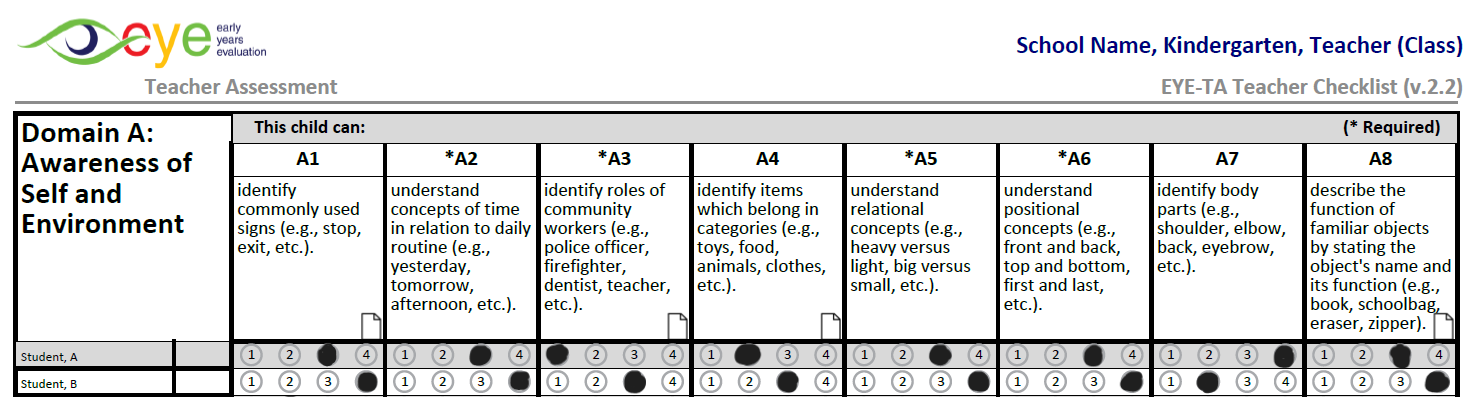
Our system correctly read the file, but could not distinguish the selected scores for the child. Ensure the circle is fully filled in using a dark-coloured pen or pencil. Only one circle should be filled out for each assessed skill area.
After uploading my file, I received the error ‘File appears to be for the wrong class.’ What does this mean?
As a safety check, the system will ensure that the children on the checklist belong to the classroom to which the document is being uploaded.
After uploading my file, I received the error ‘A significant number of participants' scores were undetected. Please confirm scores before submitting, and the list of children.’ What does this mean?
For various reasons, the system might not have been able to process every score entered. If this happens, it will notify you and provide a list of the children whose scores were not captured. This information will also be visible on the Progress Overview page, allowing you to quickly identify any missing items.